Monthly
$7 / month
Billed every month.
FOR PROFESSIONAL ORGANIZERS
You give everything a home. Give your clients a way to remember it.
ThingPing connects the things you organize to their exact shelf, drawer, or bin—with a visual inventory, search, and QR labels.
30-day trial · No payment details at signup · Plans from $7/month USD
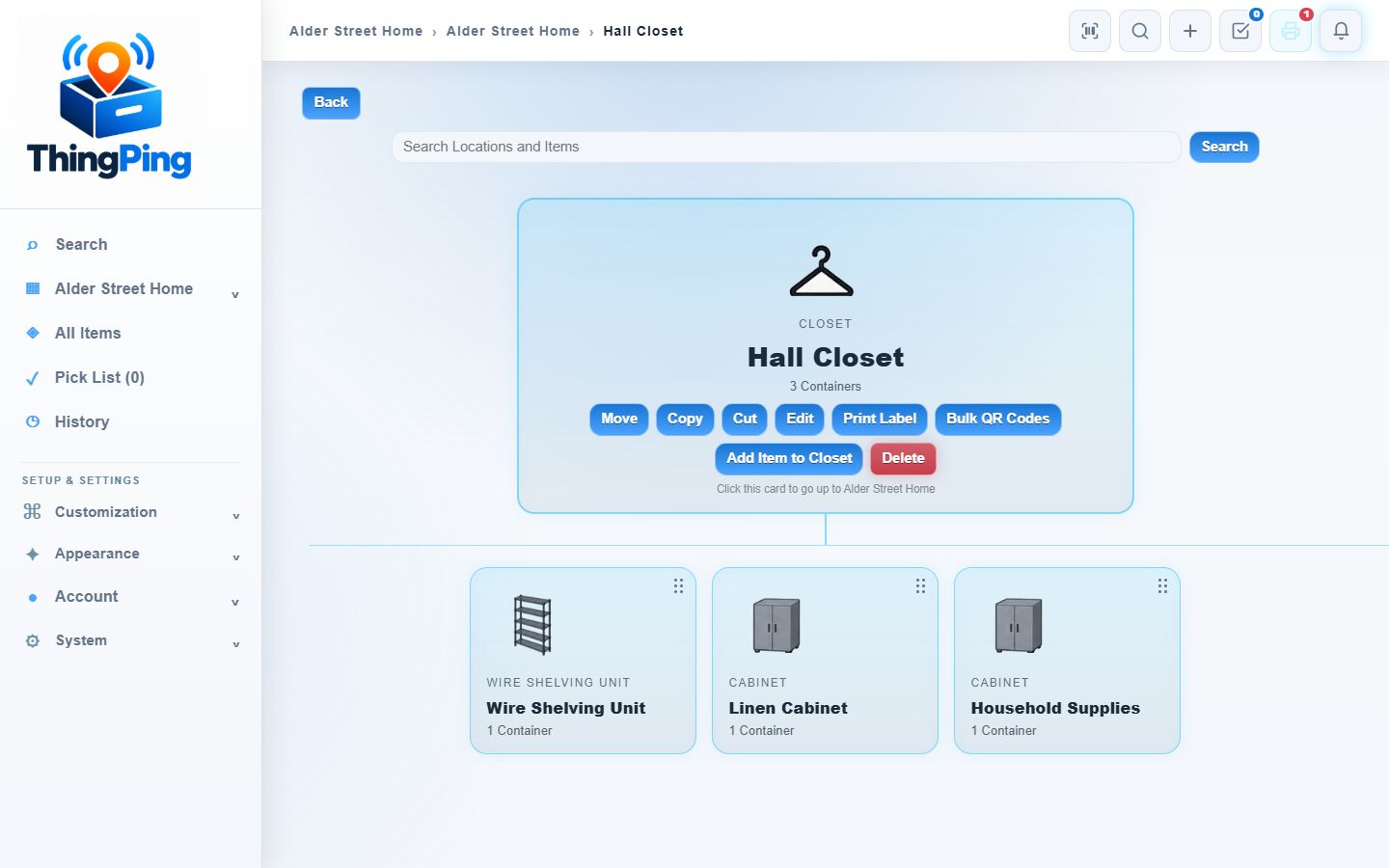
THE ACTUAL THINGPING APP
Real app screens with fictional household inventory: towels, linens, board games and holiday decorations. The navigation, cards, controls and layouts are ThingPing’s actual interface.
The earlier interactive sample has been replaced with real app screenshots. This link now shows the actual inventory view; it does not open a live Item.
Follow the physical hierarchy from a space to its shelves, cabinets and bins. The blue cards and action buttons are the real Explorer.
Open full-size Explorer screenshot ↗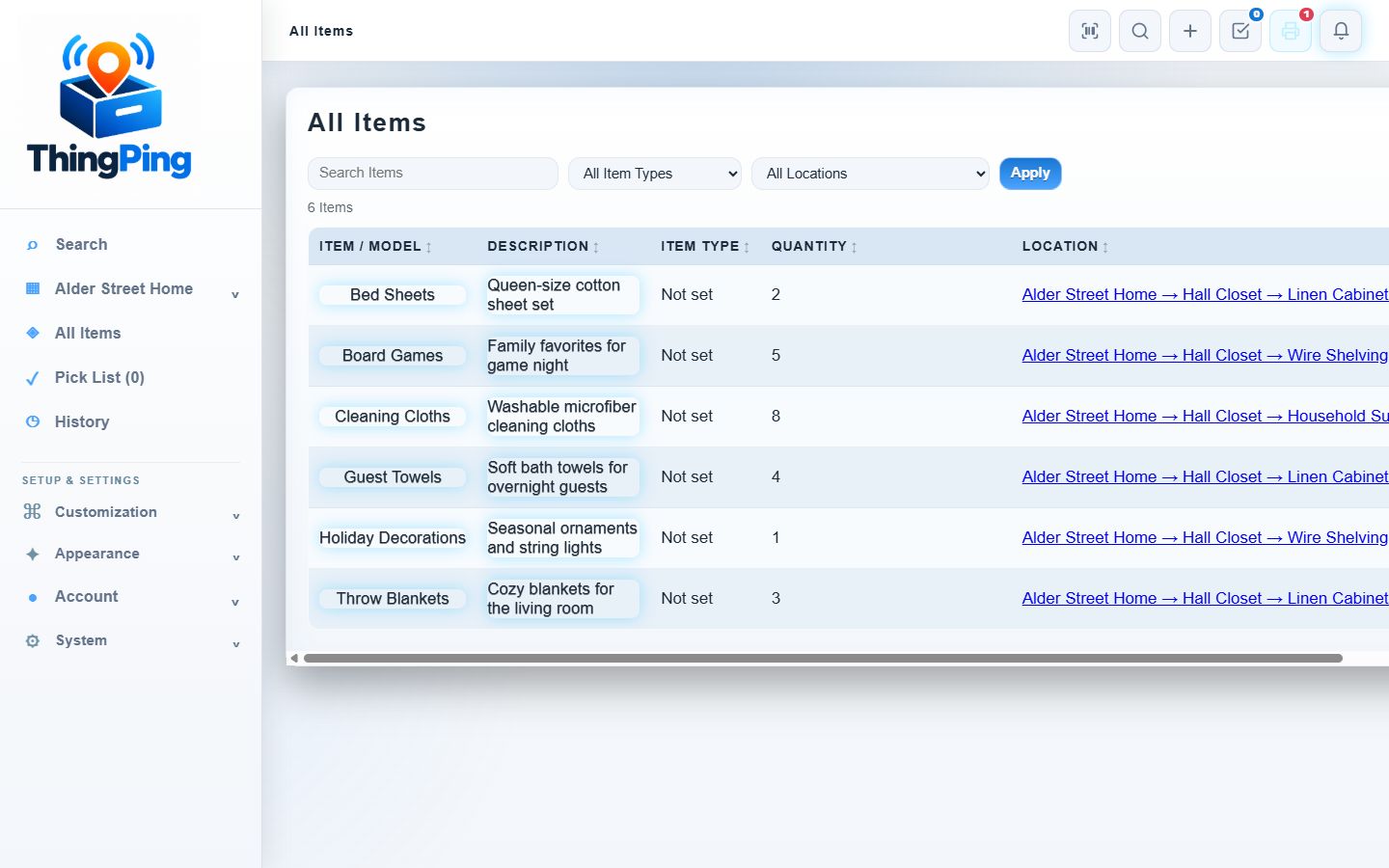
Search and filter the inventory while keeping quantities and each Item’s complete storage path in view.
Open full-size All Items screenshot ↗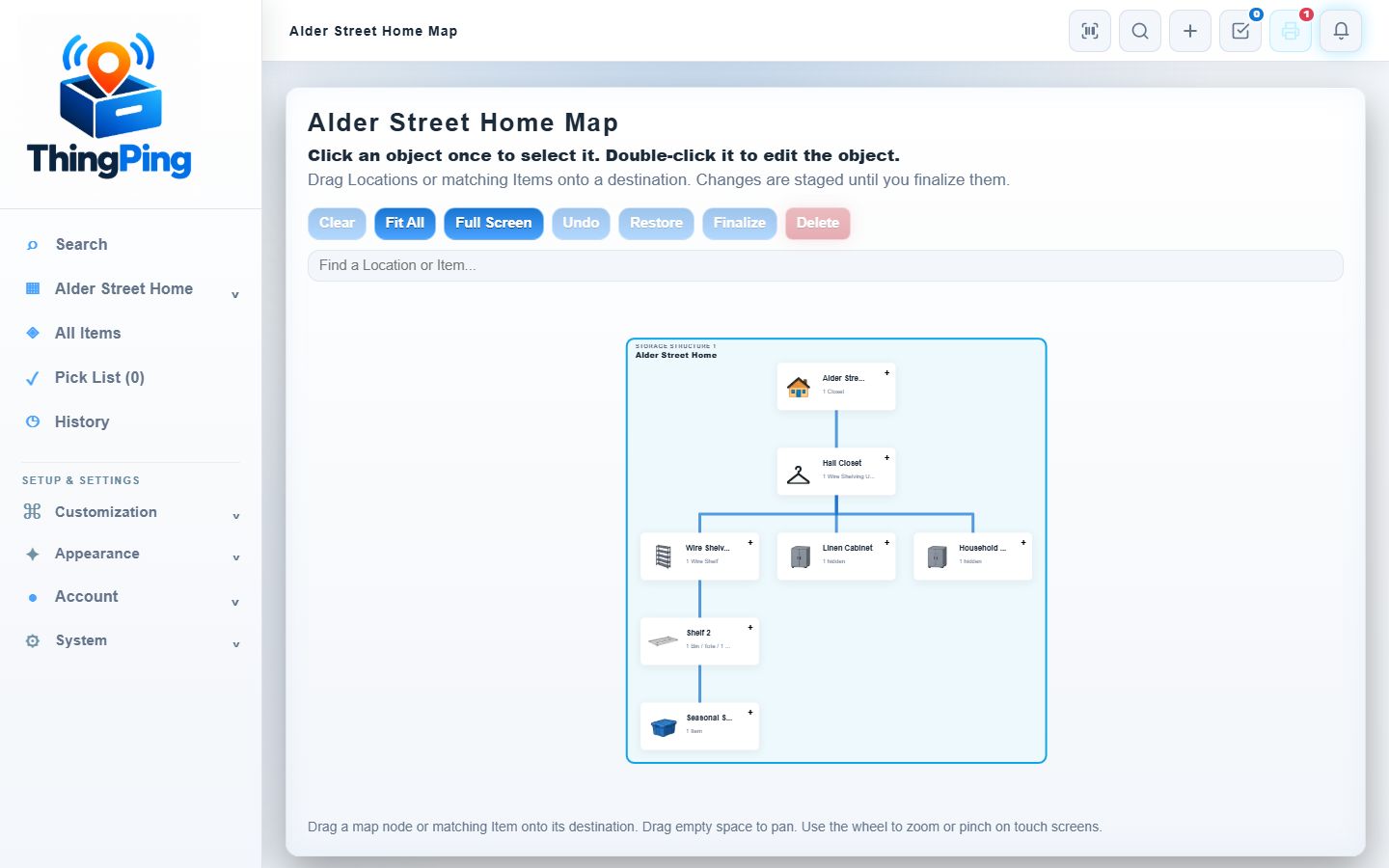
See the storage hierarchy as connected Locations. In your account, Map controls let you navigate and stage changes before finalizing them.
Open full-size Storage Map screenshot ↗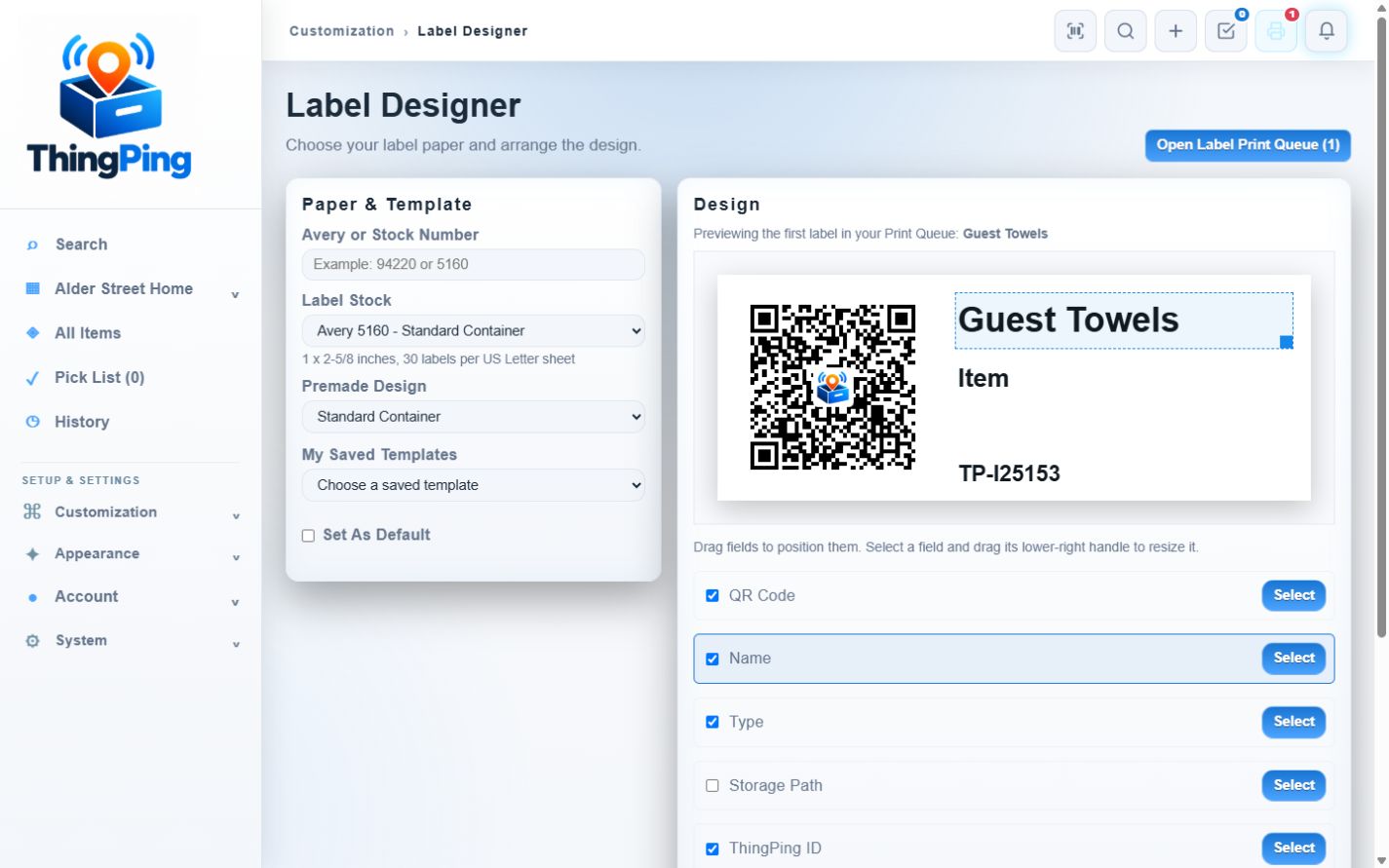
Choose paper and arrange a label using the real designer. This screenshot shows a design preview, not a live QR label for public scanning.
Open full-size Label Designer screenshot ↗Actual app screenshots with fictional sample inventory.
FROM ORGANIZED SPACE TO EVERYDAY HABIT
Begin with one cabinet or closet, not a whole-home catalog. Help a client build a small record they can keep useful.
Ask Tim for a walkthrough ↗The client signs up and keeps control of their password and payment. Guide them on their device during your session.
Add Items, photos, and Locations. Pick the supplies or belongings they often struggle to find.
Ask the client to search for an Item or scan a label, then update its Location when it moves. That’s the first success.
A MEMORY FOR THE WORK YOU DO
Explorer and Map views preserve how storage is arranged. Item records keep photos and notes together, and QR labels connect a physical object to its current record.
Clients can start small and expand their inventory as they use it.
See more of ThingPing ↗SIMPLE TO TRY. OPTIONAL TO CONTINUE.
No payment details are required to create an account. Organizer services are separate from the ThingPing subscription.
$7 / month
Billed every month.$18 / 3 months
Equivalent to $6 per month.$60 / year
Equivalent to $5 per month.Each plan includes 5 GiB storage, 100 Smart Captures and 500 AI icon creations per UTC calendar month. Optional paid capacity packs are available in Usage and Plan.
All prices are USD. Choose a subscription in Usage and Plan. PayPal collects the first payment when you approve it, even during your trial. Unused trial time is retained; confirmed payments add 30, 90, or 365 days after remaining access. PayPal renews on its calendar billing schedule.
Cancel automatic renewal in Usage and Plan and keep access through your paid-through date. Export remains available after access expires. Import requires a paid subscription. Payment and refund terms.
No. Start with search and a few useful records. Add QR labels where they make finding or updating things easier.
This pilot uses a separate, client-owned account for each client. Guide setup on their device; a shared organizer dashboard and delegated client access are not part of this offer.
No. These are real screenshots of ThingPing with fictional sample inventory. They show the actual interface but are not editable. Create an account to record your own inventory. Actual Item labels require sign-in to the owning account.
Yes. Email Tim about a short walkthrough and the space you have in mind. Please leave client names and private inventory out of the first message.